What your customer sees
A link, not an account. Your homeowner opens it on their phone, reads the proposal, signs it, and looks at the photos from Tuesday. Nothing to download, no password to forget, no login to reset at nine at night.
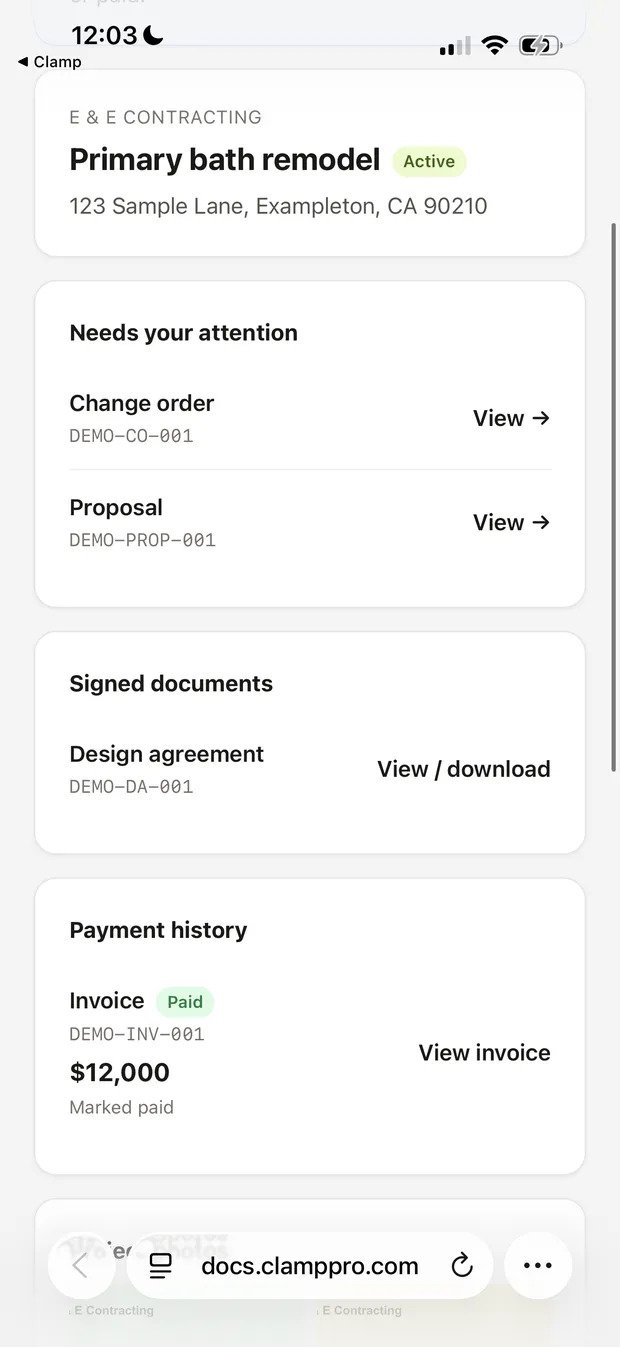
The whole job, one link
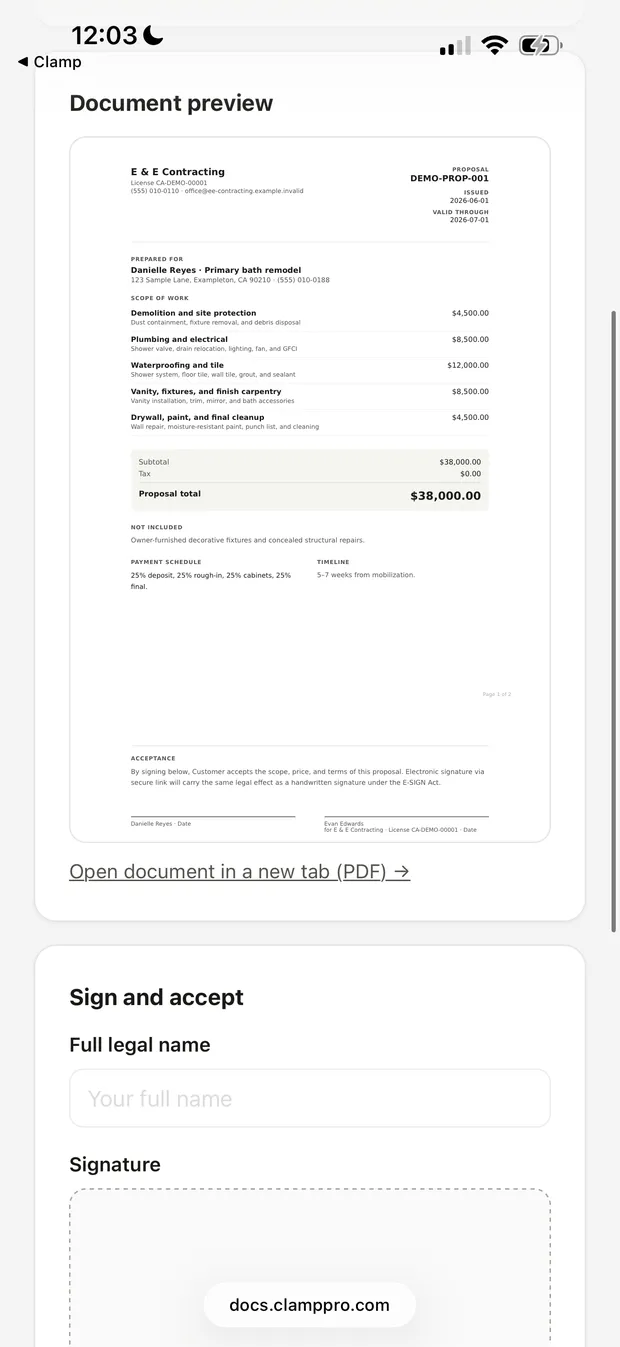
Read it, then sign it
A sample portal on a homeowner’s phone. They tap a link and land here: what needs them, what they have already signed, and what they have paid.
Open a real customer portal
A sample job for a made-up homeowner, running on the same system your customers use. Real documents, real photos, nothing signable.
Open the demo portal →No sign-up. Opens in a new tab.
How a homeowner gets in
You share a document or a photo from the job.
They get a link, by email or however you send it.
They tap it. That is the whole sign-in.
The link is theirs and keeps working. There is no account to create and nothing for them to install, which is the point: every extra step is a customer who calls you instead.
What they can see, and what they cannot
| In the portal | Homeowner can |
|---|---|
| Proposals, change orders, invoices | View and sign |
| Design agreements | View and sign |
| Job photos you share | View full screen |
| Documents you share | View and download |
| Your other customers, your costs, your other jobs | Never |
Signing
They sign on their own phone, with a finger, in the browser they already have open. You get the signed PDF and the timestamp. They get a copy that does not expire.
E-signing, the portal and cloud storage are on the Assistant and Teams plans. The full job workflow, including creating every document, is on every plan.
Why this instead of texting a PDF
A texted PDF is a copy. It goes stale the moment you revise the proposal, it is unfindable three weeks later, and the version your customer is looking at during the argument is the wrong one.
The portal is the current one, always, at the same link. When you send a change order, it is there next to the proposal it changes.
See what a job costs before you send it
Describe a job the way you would say it out loud and get an itemized draft back.
Try the free estimatorFree; email required.